FlowForge AI
An LLM extraction pipeline built the way a production one has to be — fail-closed validation, confidence routing, and a human queue for everything the model wasn't sure about.
- Role
- Architect & sole engineer
The application
Screens, captured from the running app
Booted against its seeded database and walked route by route — these are the real pages, not mockups.
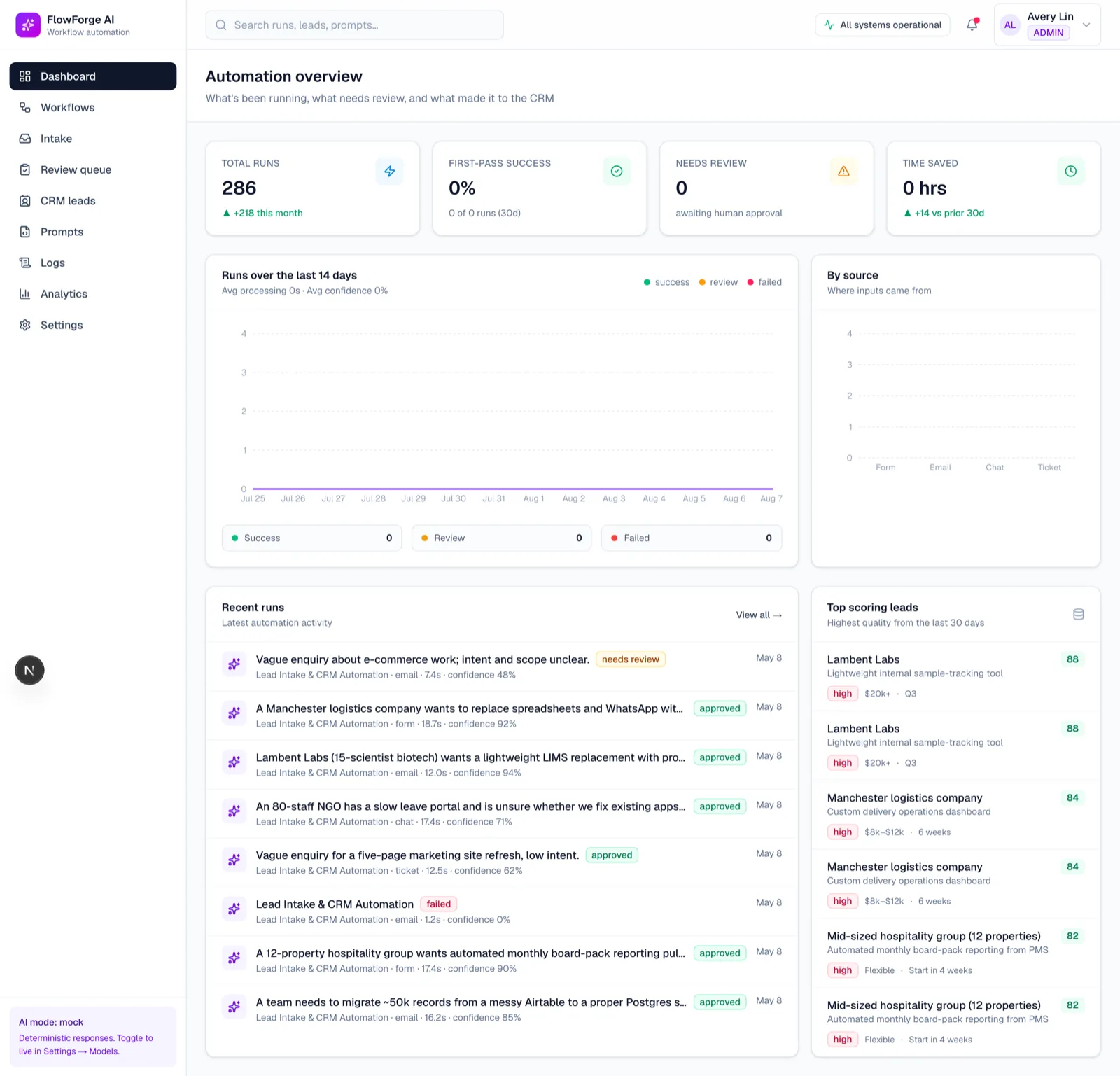
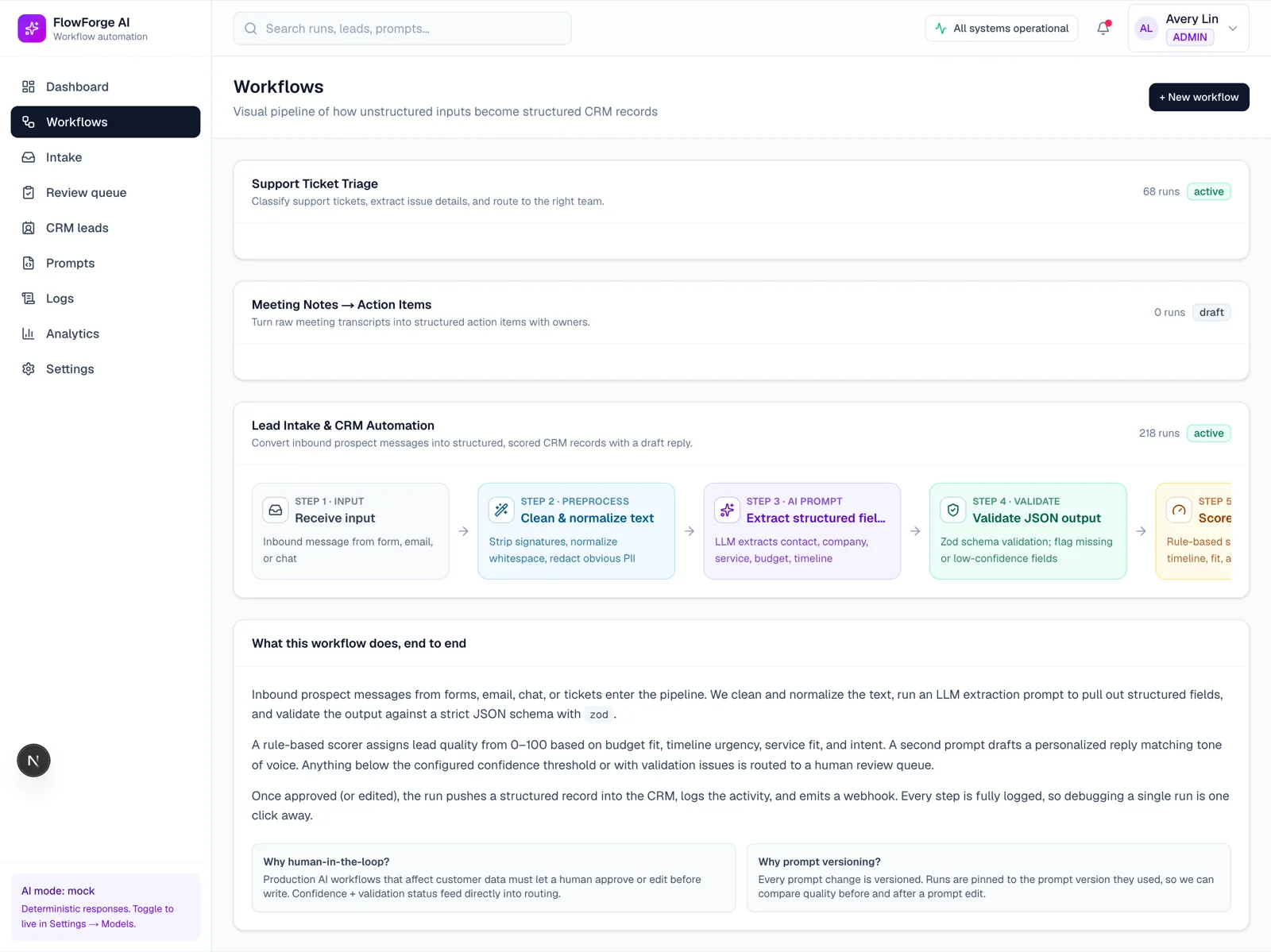
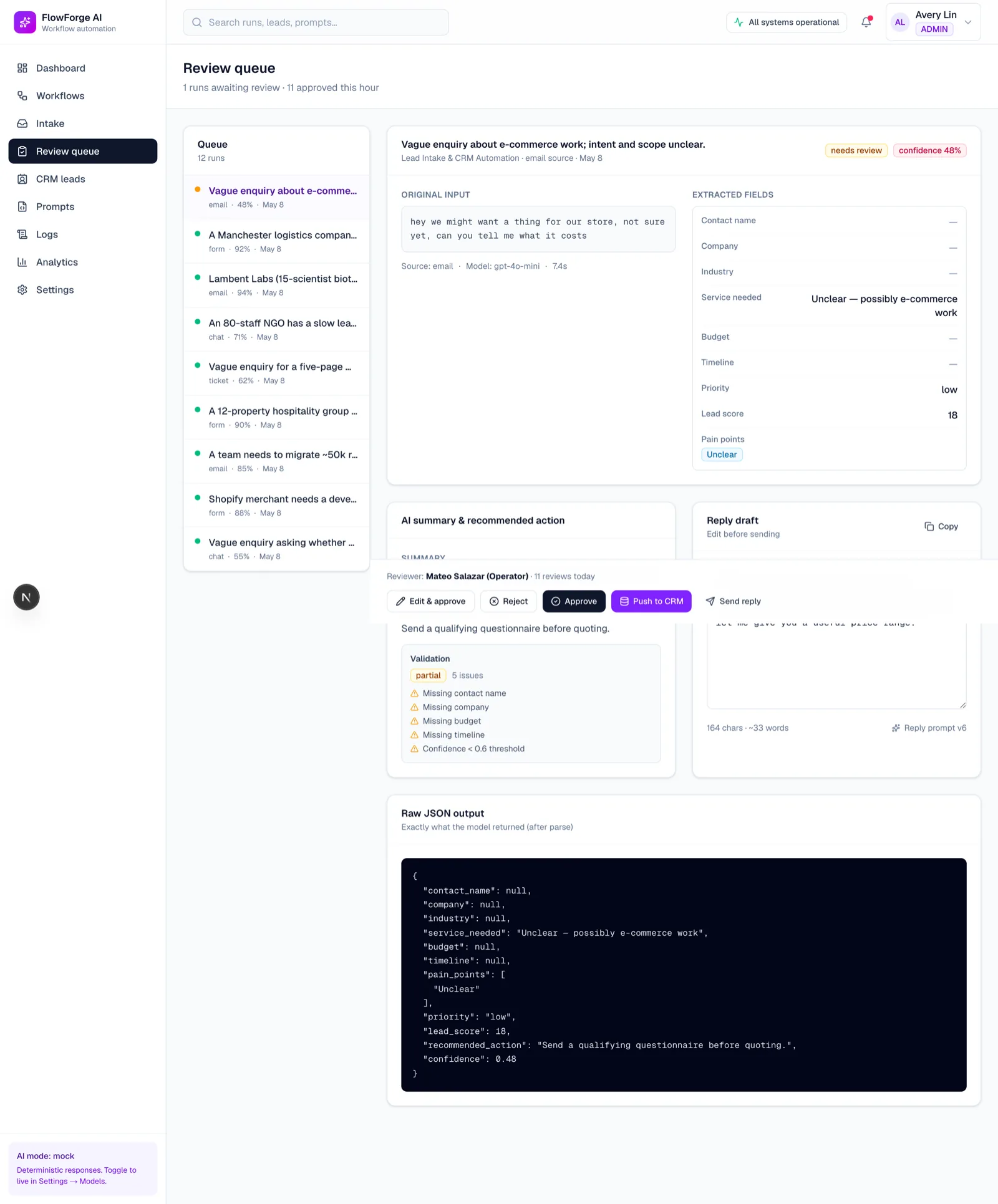
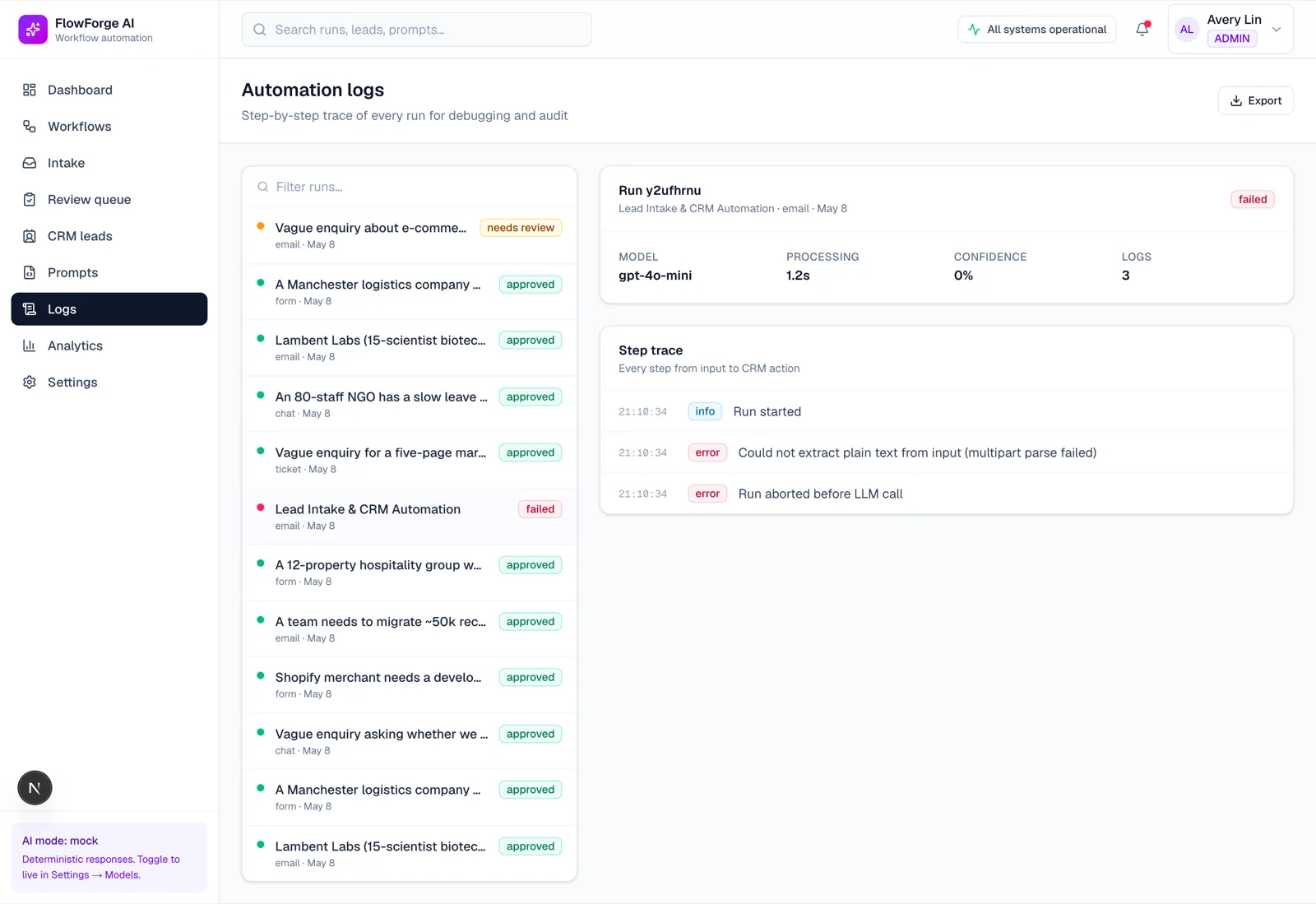
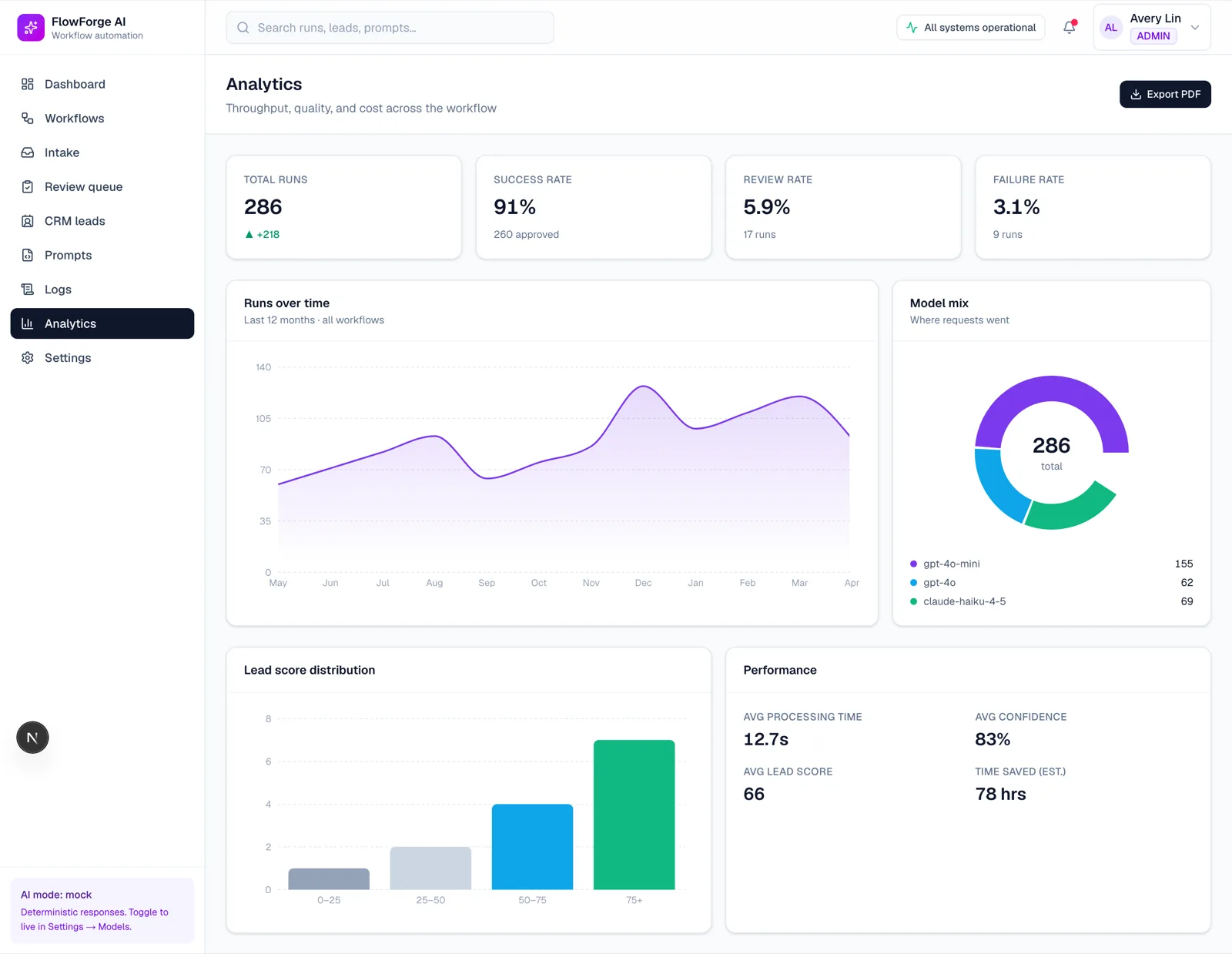
A portfolio piece, built to demonstrate AI automation architecture rather than for a client. The documents and the runs are invented. The schema validation, the confidence gating and the human-review queue are the real thing.
Why this exists
Most LLM automation demos work by never being wrong in front of you. They extract fields from a clean document, print JSON, and stop. The interesting engineering starts one step later: what happens when the model returns something plausible and wrong, and nobody notices for three weeks.
FlowForge is that second step, built as a working system.
Fail closed, not open
Every extraction is parsed against a Zod schema. If it doesn't validate, the run does not fall back to a partial object, coerce types, or retry silently until something passes — it fails, and the failure is recorded with the raw response attached.
This sounds obvious and is routinely violated, usually by a try/catch that returns {} so the pipeline "keeps working". A pipeline that keeps working while producing empty records is the most expensive failure mode there is, because it looks like success on every dashboard you have.
Confidence routing
A validated extraction is not automatically a correct one. Each field carries a confidence value, and the run is routed on it:
- High confidence across all required fields → committed straight to the simulated CRM.
- Anything below threshold, or any field the validator repaired → the human review queue.
The threshold is configuration, not a constant buried in a function, because the right value is a business decision about how much review capacity exists — not an engineering one.
The review queue is the product
The review screen shows the extracted fields, the confidence per field, and the source text, side by side. A reviewer corrects the field rather than the record, and the correction is logged against the prompt version that produced it.
That last part is what makes the queue worth having: it turns review time into a dataset about which prompt version fails on which field.
Prompt versioning and per-run step logs
Prompts are versioned records, not strings in the codebase. Every run logs each step — the prompt version used, the model, tokens, latency, the validation outcome. When accuracy moves, the analytics view can attribute the move to a specific prompt version instead of to vibes.
Nine screens, seven models
Dashboard, workflow builder, intake, review queue, leads, prompts, logs, analytics, settings — over a seven-model Prisma schema covering workflows, runs, steps, prompts, prompt versions, extractions and leads. The CRM is simulated so the whole system runs end to end without an external dependency.
What it demonstrates
LLM output treated as untrusted input; schema validation as a hard boundary; human-in-the-loop routing driven by confidence rather than by exception handling; prompt versioning and per-run observability; and a Prisma/Next.js implementation of all of it that actually runs.