Style DNA
A working demonstration of visual fashion discovery — per-garment detection, an interpretable vector space, and a feed that says why each result surfaced.
- Role
- Architect & sole engineer
The application
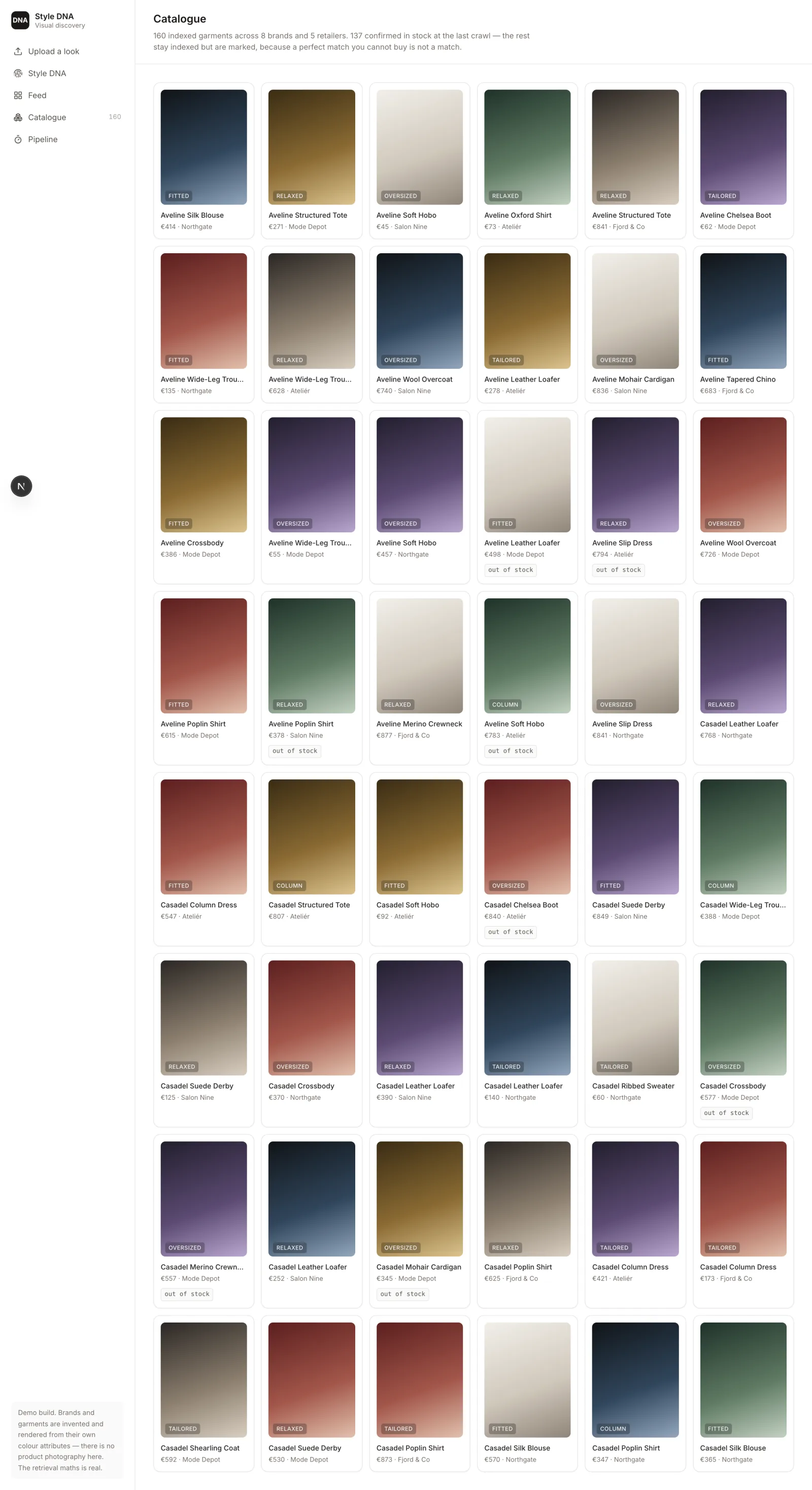
Screens, captured from the running app
Booted against its seeded database and walked route by route — these are the real pages, not mockups.
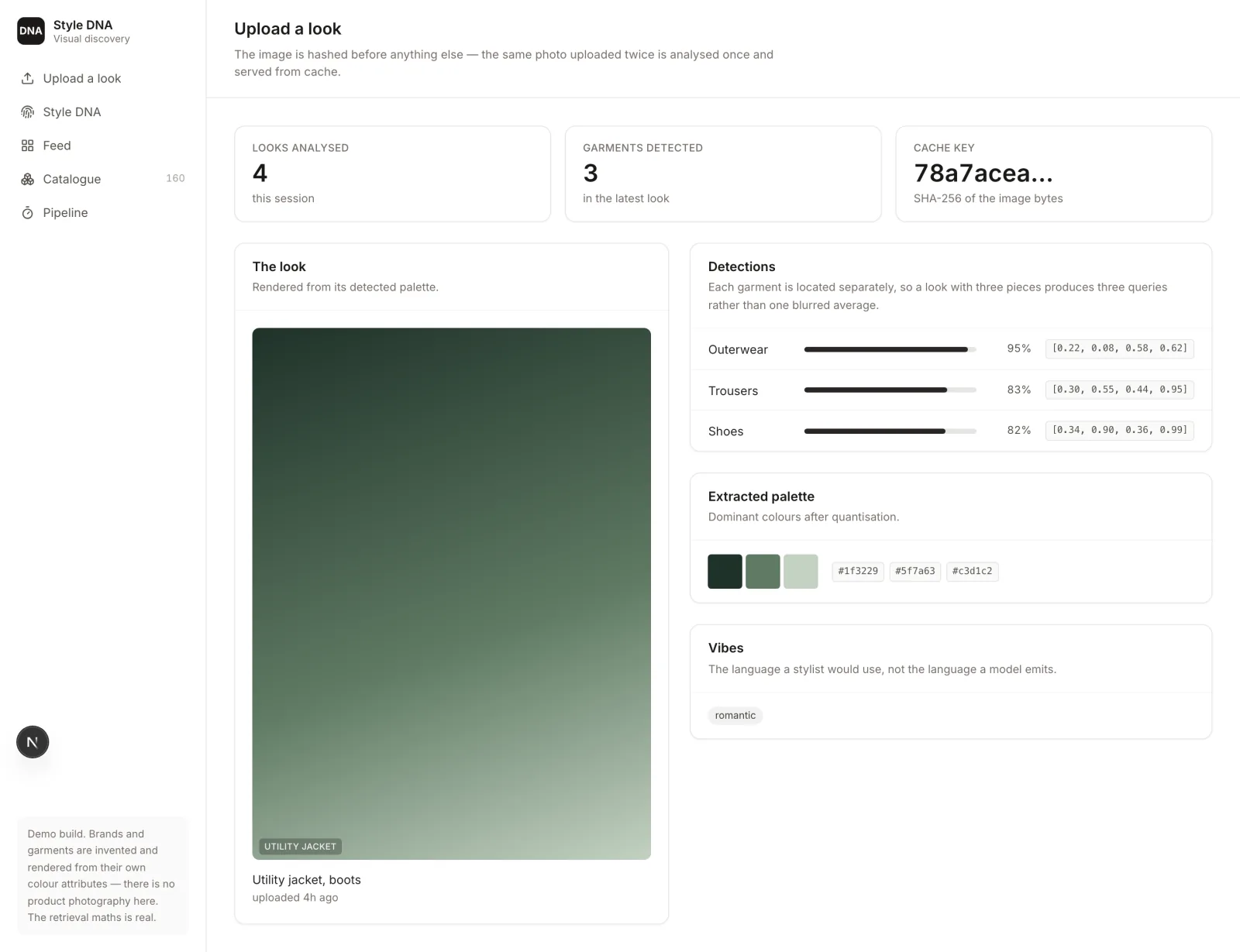
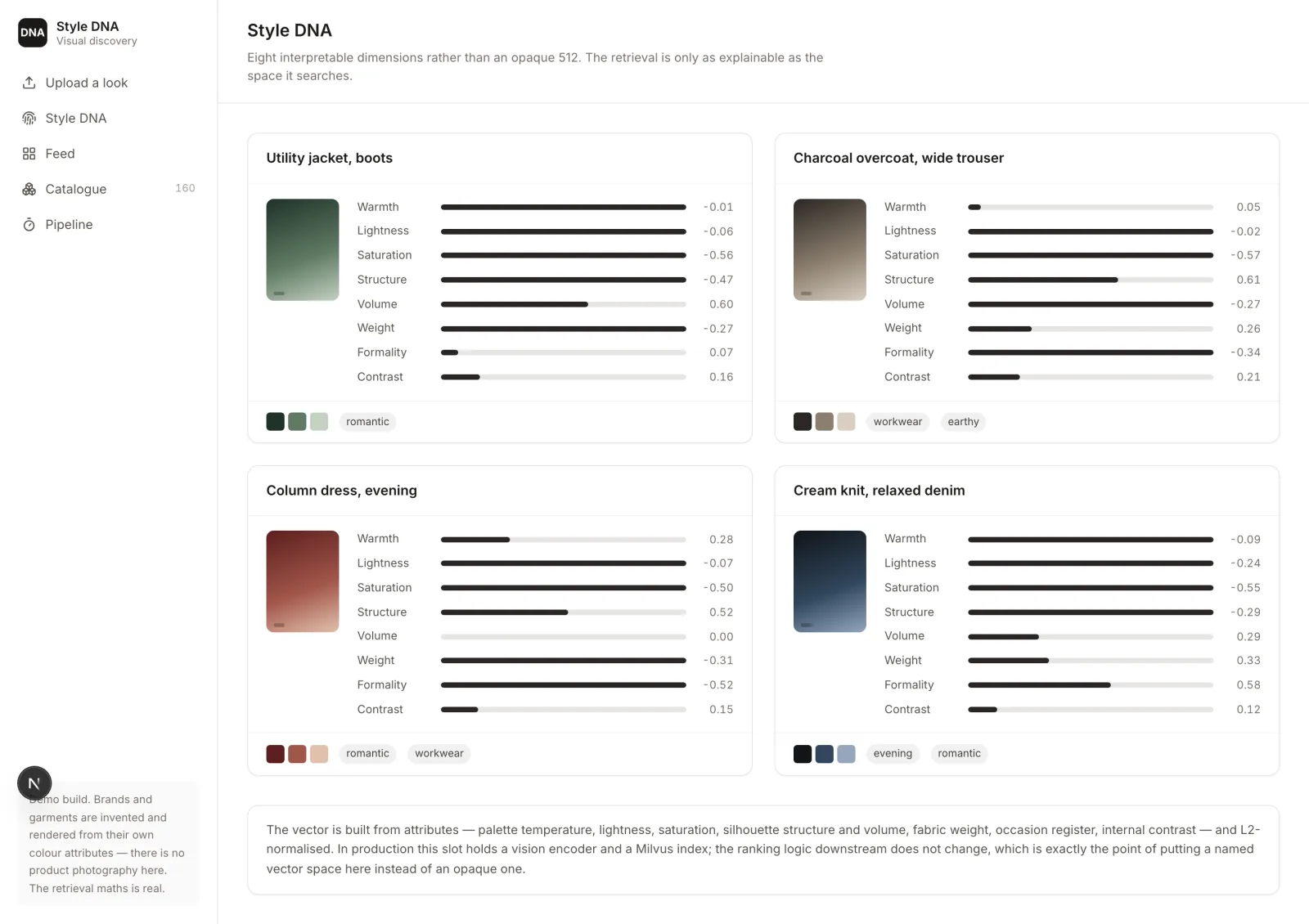
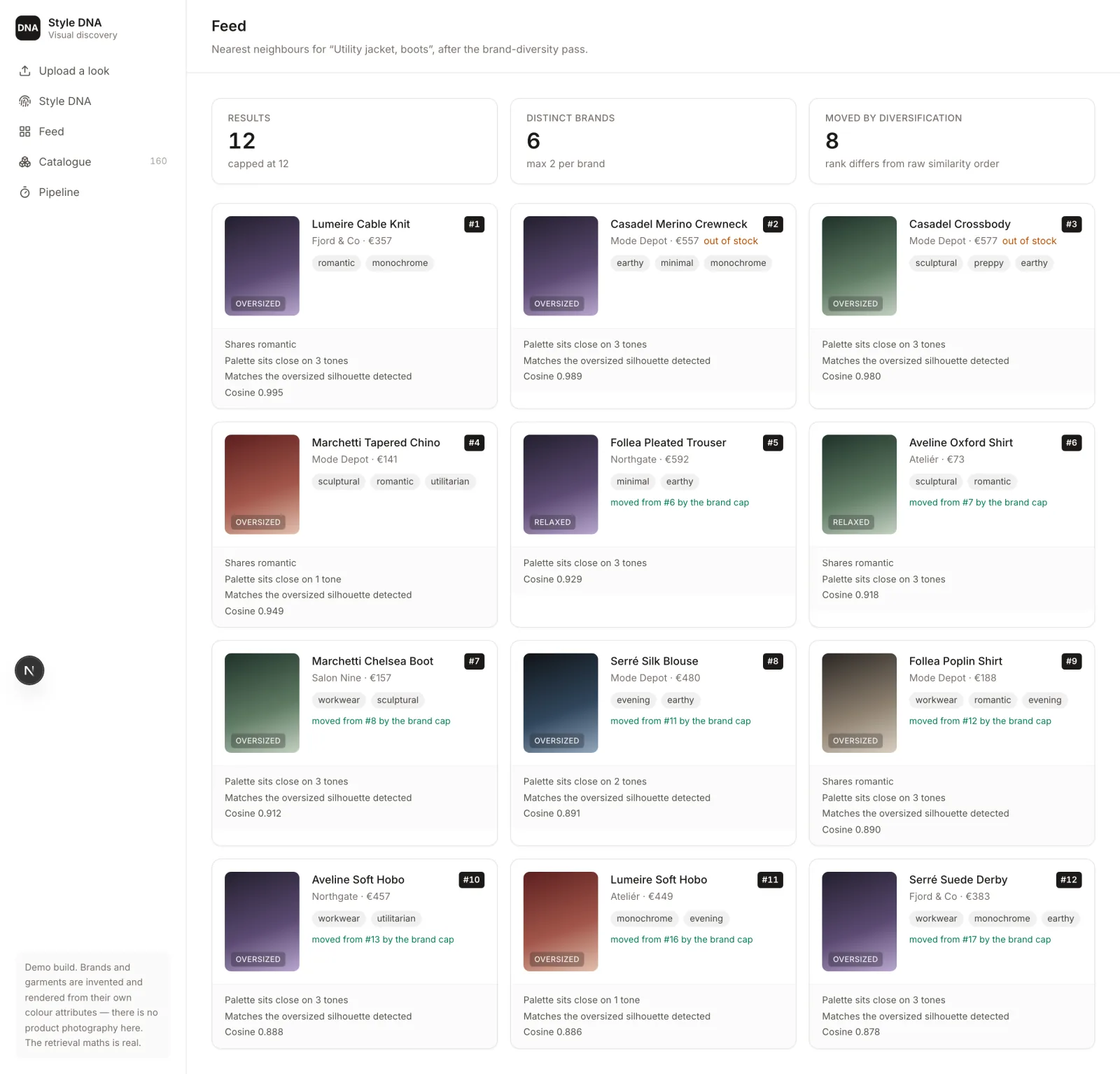
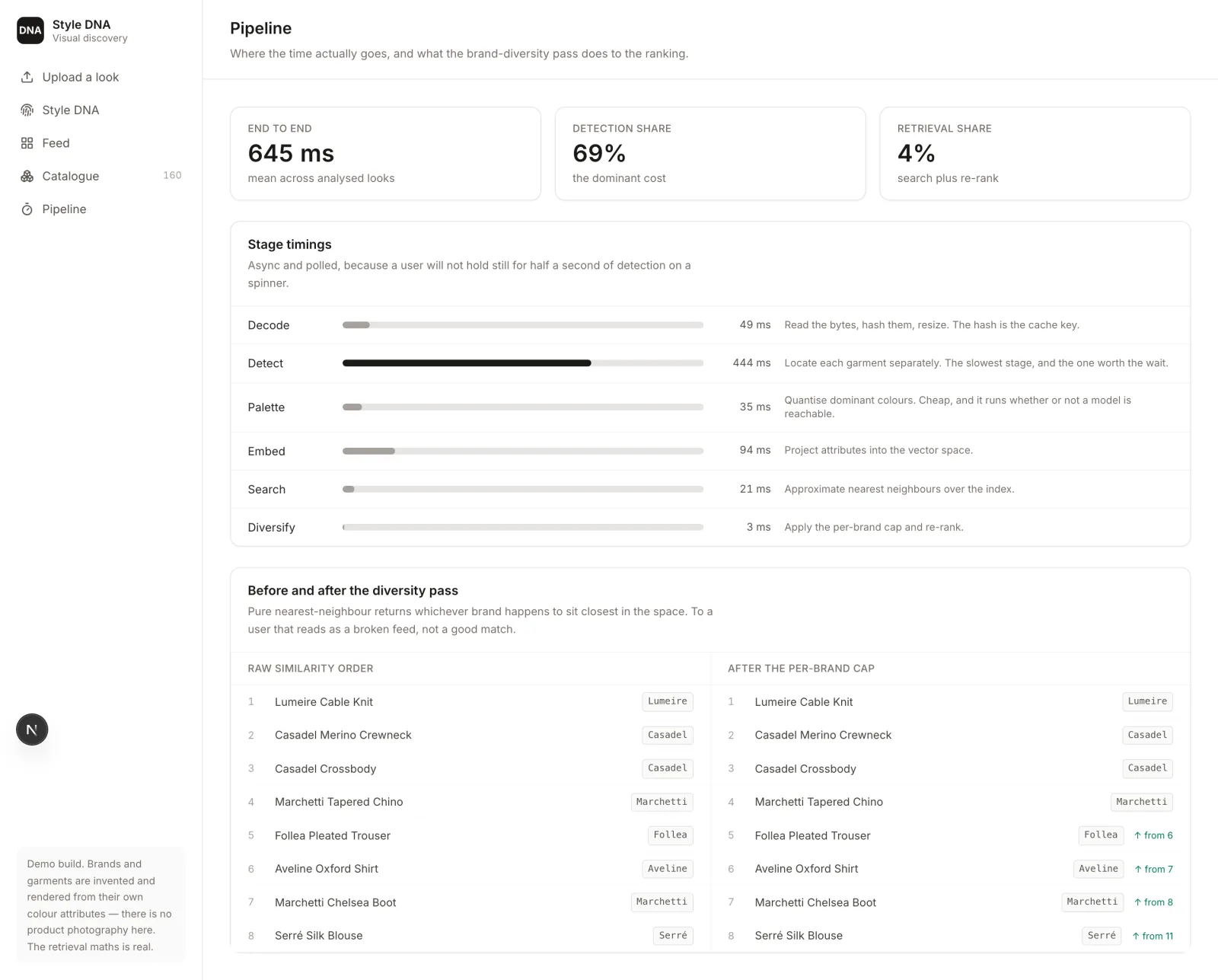
A demo, built to show the retrieval architecture behind a confidential fashion-discovery product without exposing it. The brands, garments and prices are invented. The retrieval maths is real and runs on the data you can see.
Why it exists
The production version pairs a Flutter app with a FastAPI vision service doing DETR/SegFormer detection and a Milvus index, and can't be shown. The parts worth showing aren't the models — plenty of people can call a detector — but four decisions about what happens around them.
160 indexed garments across 8 brands, 4 analysed looks, 48 retrieved results.
1. Detect per garment, not per photo
A look is three or four pieces. Embedding the whole photograph produces the average of a coat, a trouser and a boot, which resembles none of them.
So each garment is located separately and queried separately. The upload screen shows the detections with their confidence and boxes, because the number of things found is the first thing that tells you whether the rest of the pipeline had a chance.
2. Hash the image before anything else
The SHA-256 of the image bytes is the cache key. The same photo uploaded twice is analysed once. Detection is the expensive stage — around 70% of the end-to-end budget — so this is the difference between a product that costs pennies per user and one that doesn't.
3. An interpretable vector space
The demo embeds into eight named dimensions — palette warmth, lightness, saturation, silhouette structure, volume, fabric weight, occasion register, internal contrast — rather than an opaque 512.
That's a deliberate demo choice, and it earns two things. The app runs with no GPU and no API key. And the ranking becomes legible: you can look at a result and see which dimension pulled it in.
One detail worth naming, because it's the sort of thing that quietly ruins a demo: an all-positive vector space pins every cosine between 0.96 and 1.0. Technically correct, and useless — nothing in the ranking is distinguishable. Centring each dimension on zero before normalising spreads the same catalogue across 0.709 to 0.996, and the ordering suddenly means something.
The production shape swaps the encoder and the index and leaves the ranking below untouched. That's the point of putting a named space here rather than an opaque one.
4. Diversify, or the feed looks broken
Pure nearest-neighbour over a fashion catalogue returns whatever brand happens to sit closest in the embedding space — eight results from one label. That reads to a user as a broken feed, not a good match.
A greedy per-brand cap (two) re-ranks the results, backfilling from the overflow if the cap leaves the feed thin, because a strict cap is a preference rather than a correctness rule. In this seed it moves 19 of 48 results, and each moved item says so: "moved from #15 by the brand cap".
The pipeline screen shows the ranking either side of the pass, which is the only honest way to claim a re-ranker is doing anything.
Every result explains itself
Shared vibes, how close the palettes sit, whether the silhouette matches what was detected, and the raw cosine. A recommendation a user can't interrogate is one they stop trusting after the first bad row.
A note on the images
There is no product photography here. Each garment is rendered as a gradient built from its own colour attributes — which is also, conveniently, what the retrieval actually sees. Inventing catalogue shots would imply a licensing relationship that doesn't exist.
Stack
Next.js 16 App Router with React Server Components, Prisma over SQLite, five routes, deterministic seed. Cosine similarity, the diversity pass and the explanations are computed at seed time over the real catalogue — nothing on screen is hardcoded.